Explainer
Is Write It worth it?
We wrote this one, so read it accordingly. Here is the honest version, including the cases where you should not pay us anything.
Write It teamUpdated 5 min read
This is our own product, so weigh what follows accordingly. What we can do is tell you the parts we are not best at and who should not buy this — a review that only says good things is not a review.
What it actually is
A Chrome extension that runs inside Google Docs, with support for Microsoft Word on the web and a lighter feature set in Google Slides. It covers seven things: an auto typer, an AI agent that drafts in your document, a humanizer, an AI detector, research with source discovery and citations, live grammar and clarity checking, and inline tab completion.
The organizing idea is that it works on the document you are actually submitting rather than in a separate tab you copy out of.
Who it is worth it for
- Students writing essays and research papers in Google Docs. This is the case it is built for, and the citation and drafting workflow is where the time actually goes.
- AP Research and AP Seminar students. Research Mode has course lenses no other tool offers, and those courses have more source management than anything else in high school.
- Anyone tired of the copy-paste loop. If you are moving text between a chat window and a doc several times a week, that is the specific friction this removes.
- Anyone whose teacher checks version history. The auto typer is the only reason most people find us, and it does that job well.
Who should skip it
Being direct, because the wrong purchase is worse for both of us.
- If you only want proofreading. Grammarly is better at grammar and style, explains itself better, and works in desktop apps and on mobile. Buy that instead.
- If you only want an auto typer. Our typer is free, so try it — but if you want paid typing features and nothing else, dedicated tools cost less. Duey’s auto-typer plan is about half our entry price.
- If you need a long-term reference library. Zotero is free, stores PDFs and annotations, and supports thousands of citation styles. We keep a lighter per-project library and cover four styles.
- If you do not write in Google Docs. Word on the web works, but if your writing happens in a desktop app, LaTeX, or Notion, most of the value does not reach you.
- If you want help with problem sets. It writes. It will not do your calculus.
What the free tier actually gets you
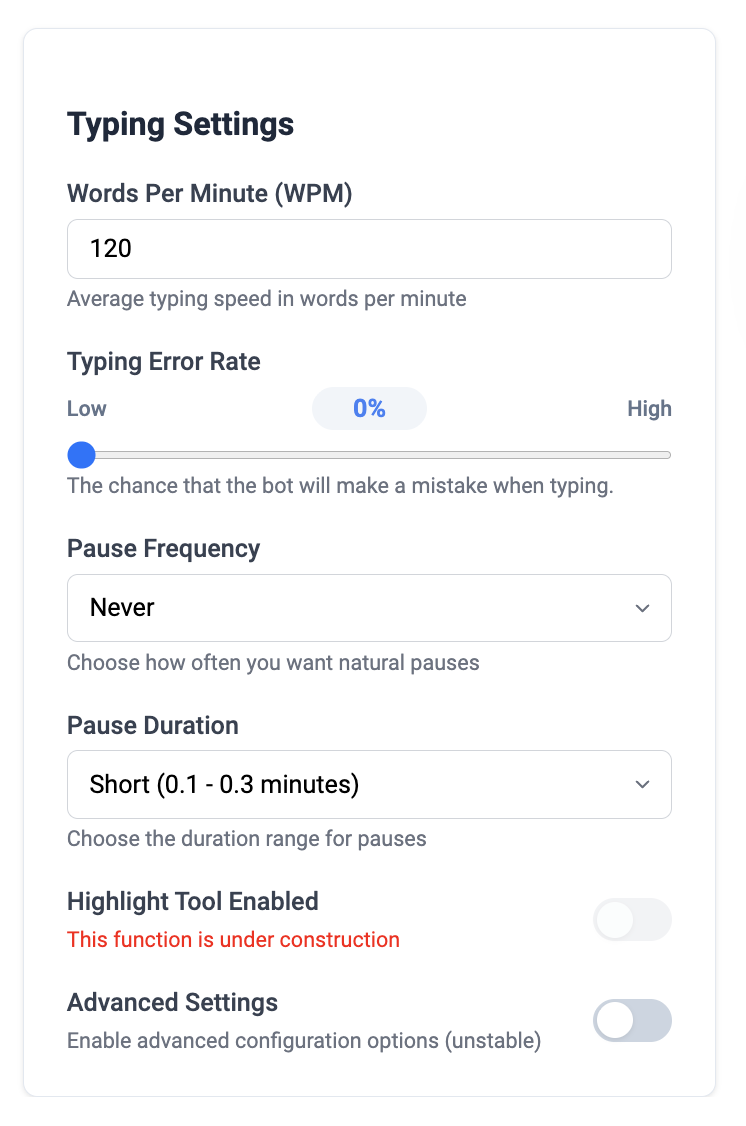
Enough to decide, which is the point. The auto typer is free, including adjustable speed and error rate. Every new account also gets a personal code for a free seven-day Premium trial in its welcome email, plus 5,000 tokens for the AI features, topped back up every month, one run of Write It Max, and free daily AI detection. No card required to sign up.
5,000 tokens a month is not a lot — it is a handful of humanizer runs or one short agent task — but it comes back every month, and the seven-day Premium trial that comes with every new account lets you run every AI tool at full strength before you decide. The free plan is designed to show you whether the workflow fits, not to carry a semester.
Is the paid plan worth it?
Plus is $10 a month or $96 a year and includes 100,000 tokens a month plus Write It Max. Premium is $15 a month or $144 a year with 200,000 tokens. Both allowances refresh in full every month.
It is worth it if you are using Apollo regularly or writing research papers where source discovery and Works Cited generation save real hours. It is not worth it if you are mostly using the free auto typer and occasionally rewriting a paragraph — stay on free, genuinely.
And if 100,000 tokens covers you, stay on Plus. Premium is the same features with double the allowance, and most students on Plus do not exhaust it.
The honest weaknesses
- Browser only. No desktop app, no mobile app. If you write on a phone, this is not for you.
- Proofreading is good, not best. Grammarly catches more and explains better.
- Broad permissions. An extension that types into your documents can read them. That is how the functionality works, and it is a reasonable thing to think about before installing.
- Token metering takes getting used to. Agent runs cost much more than short rewrites, and the free allowance goes quickly if you start with a big one.
- Smaller and newer than the alternatives. Grammarly, QuillBot, and Duey have all been at this longer and have more users.
What we will not claim
We do not promise that anything gets past an AI detector. Detectors are probabilistic classifiers that update on their own schedule and disagree with each other on the same paragraph, so no vendor is in a position to guarantee that outcome. Products that do are describing software they do not control.
What the humanizer does is describable: it varies sentence rhythm, replaces stock transitions, and evens out uniform hedging, while leaving your argument alone. The detector shows you what still reads as machine-written so you can rewrite those parts yourself.
How to decide in one assignment
Install the free version
No card. Takes a minute.
Use it on one real assignment, end to end
Not a test document — a real one, with the deadline pressure that reveals whether a tool actually helps.
Notice what you reached for
If it was mostly the free auto typer, stay free. If you kept hitting the token limit on research and drafting, that is what Plus buys.
Compare against what you already pay for
If your school provides Grammarly and you only wanted proofreading, you are done — you do not need us.
Decide on a real assignment
Install the free version — auto typer, a seven-day Premium trial code in your welcome email, 5,000 tokens a month, one Write It Max run. No card.