Write It AI
for Google Docs
Enhance your writing in Google Docs with industry-leading AI assistance. Powerful features that work directly in your favorite document editor.
Features that empower
your writing
Discover the tools that make Write It AI the most powerful writing assistant for Google Docs
WRITE IT FOR IPHONE
Homework.
Already on it.
Snap your homework, set a finish time, and let Apollo work while you get on with your day.
Explore the iPhone appWrite It Max
The realism tier of our auto typer. Apollo adds hesitation on complex sentences, confidence-based speed variability, and decoy sentence rewrites so auto-typed drafts read like a human actually wrote them.
Learn More→Hesitation on complexity
Pauses scale with how hard the next sentence is.
Confidence variability
Easy lines type fast; complex lines slow down naturally.
Decoy sentence rewrites
Types a decoy, deletes it, then writes the real sentence.
Research Mode
Set MLA, APA, or other styles and modes like AP Research / AP Seminar, search for sources, build a library, then insert a formatted Works Cited into your doc.
Learn More→Apollo
Meet Apollo, our intelligent writing assistant that reads your documents and writes directly into Google Docs with human-like typing patterns. Apollo understands academic assignments, maintains authentic edit history, and seamlessly integrates with our humanizer.
Learn More→Text Mode
Copy and paste text into a container where the prompt will type it out in a natural, human way. Perfect for simulating real typing patterns during presentations or demonstrations.
Learn More→Humanizer
Transform AI-generated content into natural, human-like writing that sounds natural to readers and review tools. Works directly in your document, analyzing text patterns and validating results with GPTZero to ensure authenticity.
Learn More→Highlight Tool
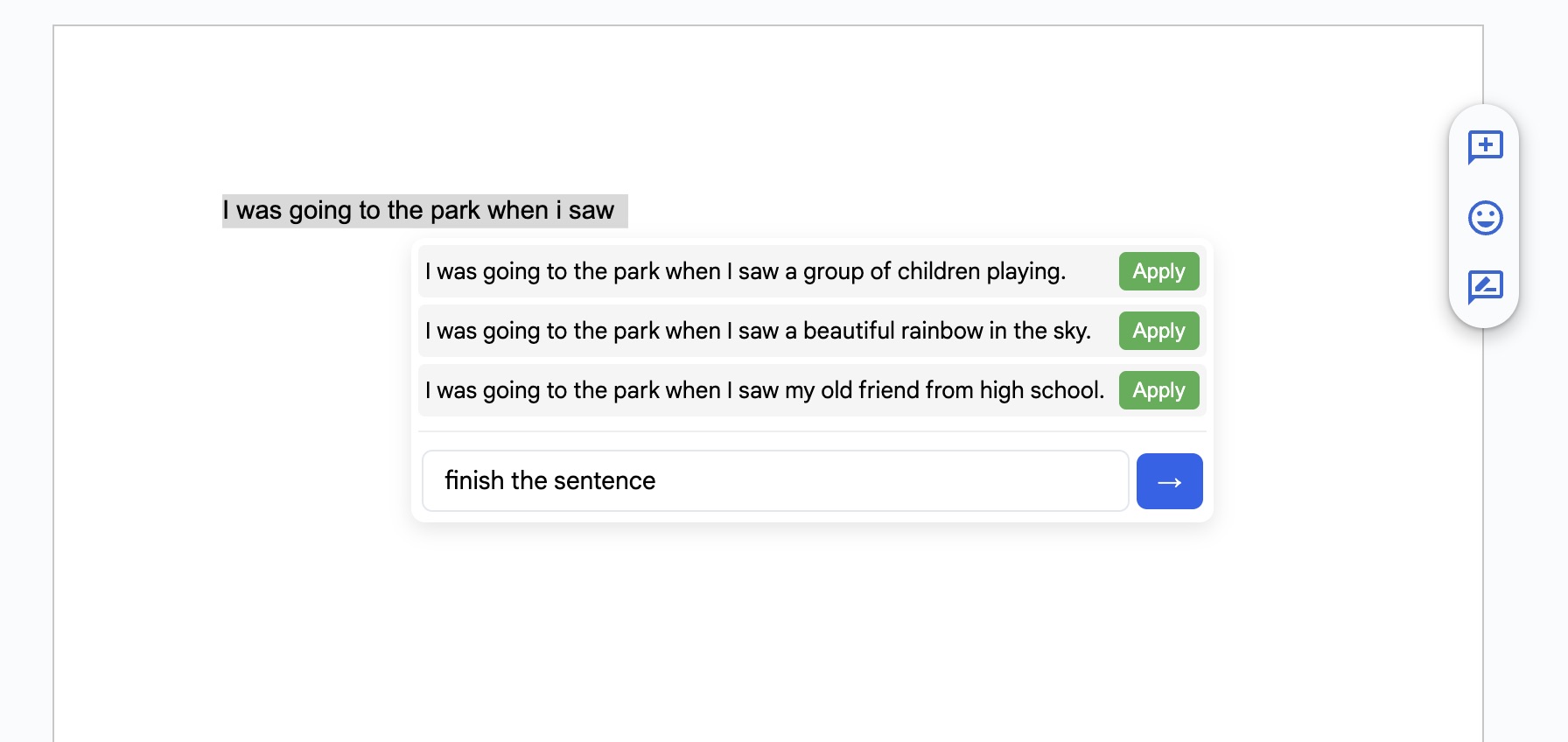
Select any part of your document and get direct ChatGPT help with those specific lines. Simply highlight text and get instant AI assistance for that selection.
Typing Controls
Adjust typing speed, error rate, and pause frequency to create the perfect typing simulation. From slow and methodical to lightning-fast with realistic typos that get corrected in real-time.
Ready to transform your writing experience?
Join thousands of writers who use Write It AI to enhance their productivity in Google Docs