Runs inside Google Docs
Operates on the open document.
Write It
Gemini in DocsBuilt in
Grammarly
QuillBotExtension
Wordtune
ProWritingAid
Roundup
Six assistants that genuinely operate in Google Docs, ranked by how much of the writing they help with rather than how loudly they market themselves.
Write It teamUpdated 6 min read
Plenty of tools claim to work with Google Docs. Fewer actually operate on the document — many just mean "we have a Chrome extension that notices you are typing." This list separates them, and ranks by how much of the writing each one genuinely helps with.
Worth understanding before installing anything. A Google Workspace add-on runs in a sandboxed sidebar with access mediated by Google’s APIs. A Chrome extension runs in the browser alongside the page and can do more — including simulating real typing into the document, which an add-on cannot.
That extra capability comes with broader permissions. An extension that types into your documents can read them, so it is worth knowing who built it.
| Feature | Write It | Gemini in Docs | Grammarly | QuillBot | Wordtune | ProWritingAid |
|---|---|---|---|---|---|---|
| Runs inside Google DocsOperates on the open document. | Built in | Extension | ||||
| Generates original draftsWrites new prose from a brief. | ||||||
| Multi-step agent that plans then draftsOutline, draft, revise as separate phases. | ||||||
| Types keystroke by keystrokeText arrives as typing, not insertion. | ||||||
| Grammar and style checkingLive underlines while you write. | ||||||
| Rewrites and paraphrasesRephrases a passage you select. | ||||||
| AI humanizer and detectorRewrites machine-sounding prose and scores your draft. | Detection only | |||||
| Source discovery and Works CitedFinds sources and builds a bibliography. | Generator only | |||||
| Free tierUsable without paying. | On eligible plans |
Operates on the open document.
Writes new prose from a brief.
Outline, draft, revise as separate phases.
Text arrives as typing, not insertion.
Live underlines while you write.
Rephrases a passage you select.
Rewrites machine-sounding prose and scores your draft.
Finds sources and builds a bibliography.
Usable without paying.
Checked August 2026. Google in particular changes which plans include which AI features fairly often — check your own account.
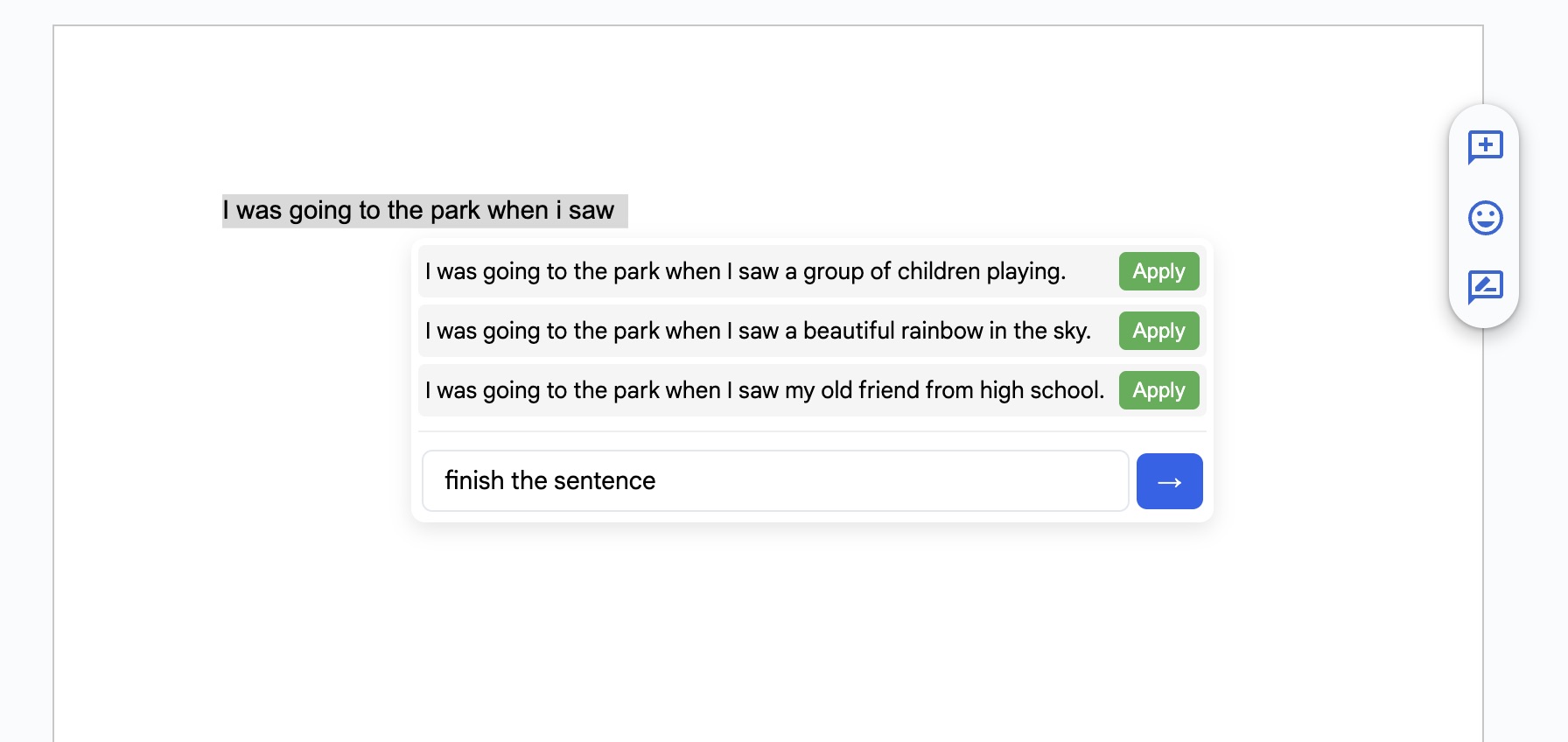
Write It is a Chrome extension built specifically around Google Docs, and it covers more of the writing process than anything else on this list. It reads the open document, works on it in place, and puts text in the way typing does rather than as an insertion.
The toolkit runs from one sidebar: Apollo Agent Mode for multi-step drafting with a review step before anything lands, an auto typer with variable speed and self-corrected typos, a humanizer, an AI detector that scores your own draft, Research Mode for sources and citations, a Writing Assistant for live grammar and clarity underlines, and inline tab completion that suggests the next phrase as you type.
It also runs in Microsoft Word on the web and, with a lighter feature set, Google Slides.
Pros
Cons
See it in your own document
Install free and run one paragraph through the typer and the humanizer.
Google’s Help me write is already in the sidebar with nothing to install, on eligible plans. For a nudge past a blank page or a quick rewrite of an awkward sentence, that convenience is real and worth using before you pay for anything else.
It generates and refines text and stops there. No humanizer, no detector, no source management, and it inserts text instantly rather than typing it.
Pros
Cons
Grammarly works in Google Docs through its Chrome extension and remains the strongest proofreader available. It catches more than the alternatives, explains its suggestions, and handles tone and formality with real nuance. It is also the only tool here that follows you into desktop apps and mobile.
Pros
Cons
The most controllable rewriter here, with real granularity over how far a rewrite departs from the original. Its Chrome extension reaches into Docs, though the web app remains its main surface, which means a round trip for anything substantial.
Pros
Cons
Focused on the sentence. Select a clunky line and get several rewrites with control over tone and length. For tightening individual sentences it is fast and good; for restructuring a section it is the wrong tool.
Pros
Cons
The most detailed style analysis in this group — twenty-plus reports covering readability, sentence variety, pacing, overused words, sticky sentences, and more. It is built for long-form writers, and for a student it can be more information than is actionable.
Pros
Cons
Install Write It free — drafting, typing, humanizing, research, and citations in Google Docs.