Google Docs guide
Can AI edit a Google Doc directly?
Yes, but an in-document edit, a connected Google Drive action, and a new exported document are different workflows. Here is how to choose.
Write It teamUpdated 3 min read
Yes. AI can edit an existing Google Doc when the tool has access to that document and supports editing. Write It adds an extension panel to Docs; Gemini offers Google’s built-in workflow on eligible accounts; a connected assistant can work through a Google Drive integration. Generating a document to download is another option, but it does not automatically change the Doc you already have open.
What does “edit my Google Doc” mean?
| Workflow | What changes | Check before you start |
|---|---|---|
| Inside the open Doc | An extension or built-in tool works alongside your text. | Can it target the selection or section you mean? |
| Through a connected assistant | A connected tool accesses a document through your account. | Does the integration support editing, and is it targeting the correct file? |
| Create or export a new document | A separate file is generated for you to open or import. | Will you need to merge the result into your existing draft? |
A tool that can read your file is not necessarily allowed to write to it. Likewise, a button labeled “Export to Google Docs” may create a new file. If keeping the original document matters, ask for a change to a named section of that exact document and inspect the result there.
Which option fits your assignment?
Write It: work beside the draft
Write It is a Chrome extension with its fullest toolkit in Google Docs. Highlight Mode works on a selected passage; Apollo handles writing and revision tasks; Research Mode supports source work and document actions when you connect the Doc. Rubric Workspace lets you attach assignment criteria and review a draft against them. This is useful when you want the writing tools beside the paper you are revising.
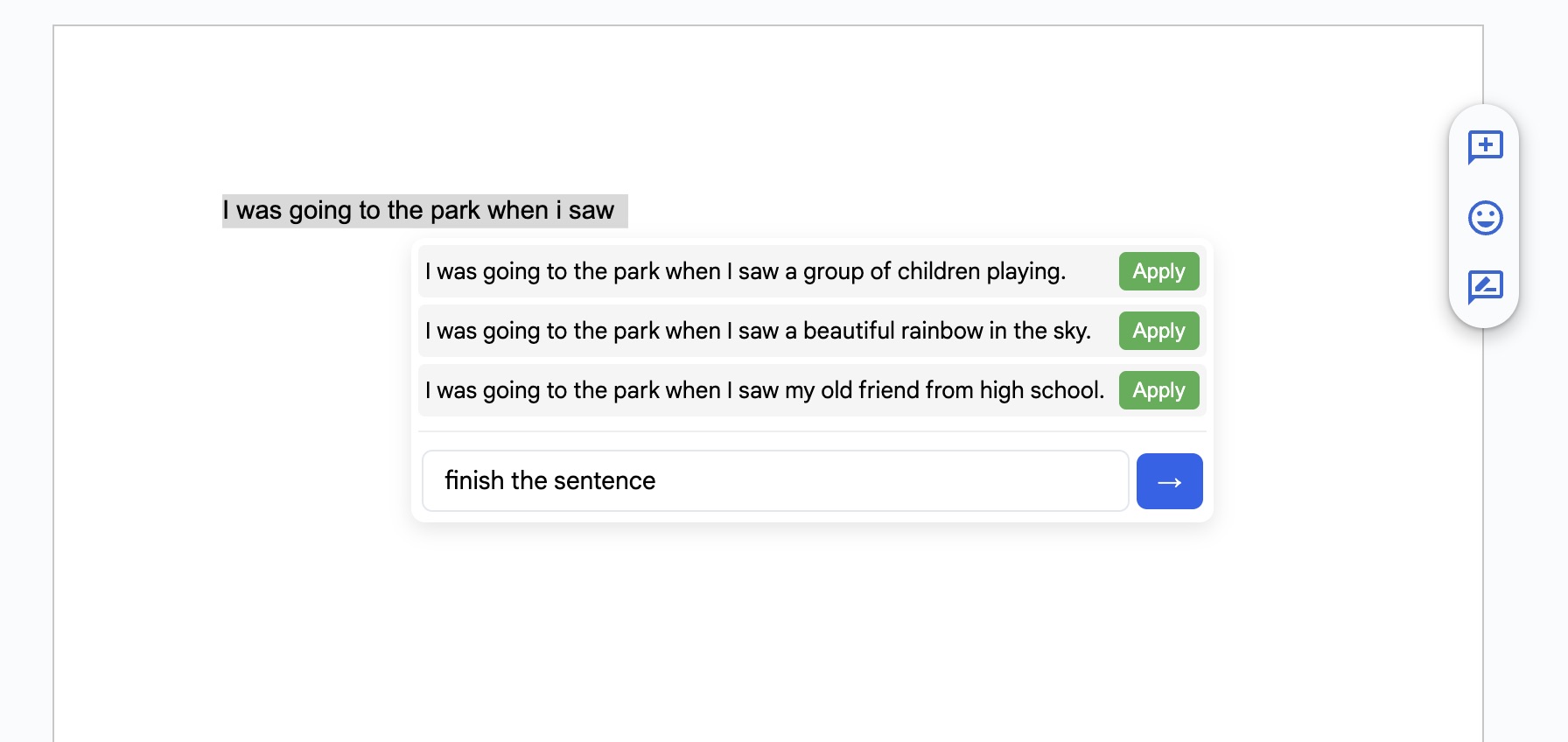
Gemini: use Google’s built-in tools
On eligible accounts, Gemini in Docs can create content using file or web context, and Workspace Deep Research can produce a cited report in a Google Doc. Check the capabilities available to your account in Google’s document creation guide and Deep Research documentation.
ChatGPT: check the connected workflow
ChatGPT can use a Google Drive plugin for work across Docs and other Google files. Available actions depend on the connected tools and permissions; it is inaccurate to say that ChatGPT always requires copying and pasting. See OpenAI’s plugin documentation.
Try a small edit before handing over a whole paper
Use a copy of a short draft for the first attempt. Pick one paragraph with a heading, an in-text citation, and a sentence you want to keep. This makes it easy to see whether the tool respects scope and preserves details. The following is an example task you can try, not a claim about a measured success rate.
Revise only the second paragraph under “Counterargument.” Make the reasoning clearer without adding facts. Keep the heading, quotation, and in-text citation exactly as written. Leave the other sections alone. Explain any change to the meaning.
Identify the target.
Select the passage or provide the exact document and section title. Avoid “fix it” when several files or sections are available.
State what should stay.
Name the citations, quotations, headings, and argument you want preserved. If you want feedback only, say so before the tool starts.
Inspect the actual Doc.
Check the target paragraph and the sections around it. Confirm that the edit reached the intended file and did not duplicate the paragraph.
Review meaning and evidence.
Read the revision aloud, open any cited source, and confirm that your argument is still yours. Undo or revise changes that overstate the evidence.
What if the AI cannot see or change the document?
First check that you are signed into the expected account, the correct document is connected, and you have editing access yourself. In Write It Research, a chat-only session needs the document connection before document tools are available. On a school-managed account, the relevant extension or AI feature may also be restricted by your administrator.
For an essay, start with the smallest task that solves your problem: selected-text revision for one awkward paragraph, rubric feedback for missing requirements, or research for an unsupported claim. A full rewrite is harder to inspect and may erase choices you meant to keep.
Try one focused edit in your Doc
Open Write It beside your draft and start with a single passage. Review the result before applying the same approach to the rest of the paper.